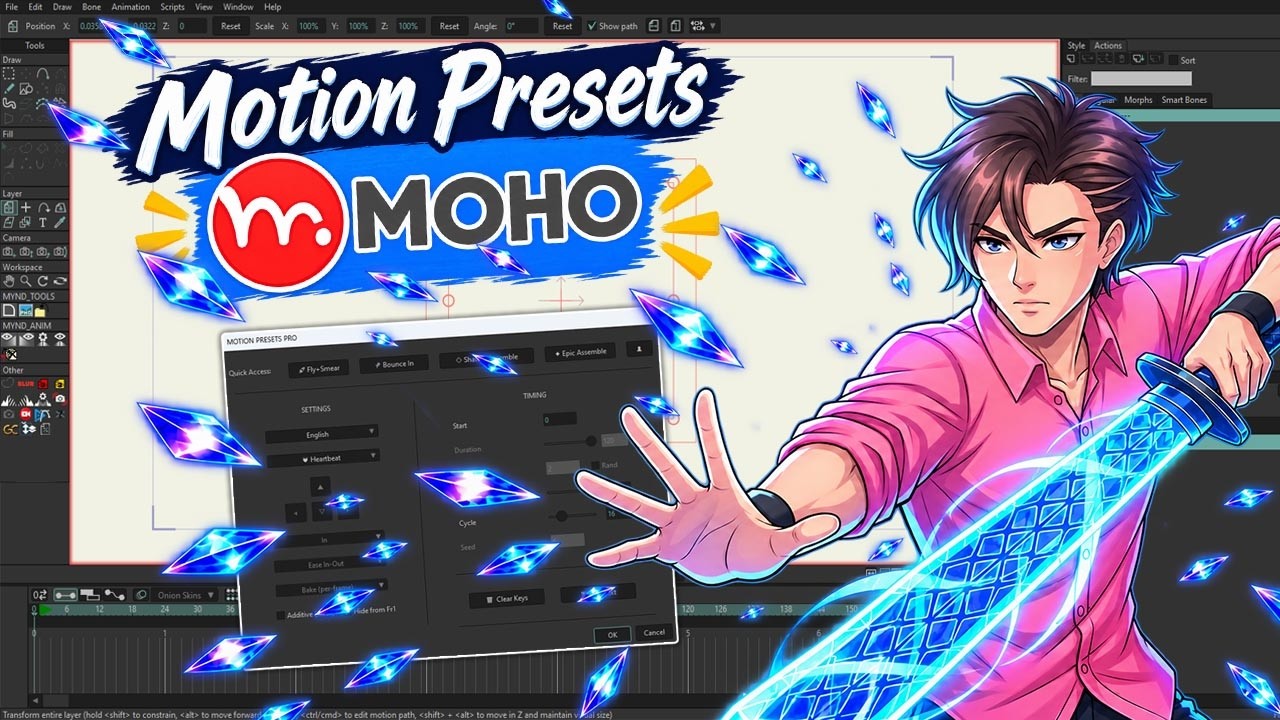
MOTION PRESETS PRO

For Moho Animation

47+ Effects Library

List of pre-designed Presets, applied with just 1 click
Especially, each effect supports 2 inverted time trajectories: IN (Appear) and OUT (Disappear). This reversing feature doubles the library's power, bringing hundreds of smooth motion variations.

MOTION PRESETS PRO
Quick Access:
๐Ÿš€ Fly+Smear
๐Ÿ Bounce In
๐Ÿ’  Shatter/Assemble
๐Ÿ’ฅ Epic Assemble
๐Ÿ‘ค Info
SETTINGS
Englishโ–ผ
๐Ÿ Bounce Inโ–ผ
โ–ฒ
โ—€
โ–ผ
โ–ถ
Outโ–ผ
Ease Inโ–ผ
Bake (per-frame)โ–ผ
TIMING
Start
Duration
Stagger / layer
Distance %
Cycle
Seed
๐Ÿ—‘๏ธ Clear Keys
โœ‚๏ธ Split Text
OK
Cancel
All effects can be applied to:
๐Ÿ–ผ๏ธ Image โœ’๏ธ Vector ๐Ÿ“ Group ๐Ÿ”  Text

Decoding the Panel

โš™๏ธ SETTINGS (Core Settings)

Preset Library: Choose 1 of 47+ effects (Physics, FX, Text, Loop...)
4 directional keys: Determine the impact direction and object movement direction (left, right, up, down)
๐Ÿ’ก FX Effect Tip (Assemble/Shatter): Select an arrow for particles to fly in that direction. If you click the selected arrow again to deselect, the layer's fly direction will scatter randomly in a 360-degree circle
In / Out Mode: Determine if the object should animate "In" or "Out"
Ease Type: Choose easing algorithms (Ease In/Out, Elastic, Bounce...) for natural motion
Additive (stack):
โœ“ ON Stacks multiple effects on the same layer โ€” existing keyframes are kept, and the new preset is baked on top (e.g. Fade + Bounce at once)
โœ— OFF Replace Mode โ€” all keyframes on every channel are wiped before the new preset is applied. This also applies when switching to an effect from a different group.
Hide from Fr1: Automatically hide the object from Frame 1, keeping it invisible until the Start Frame

โฑ๏ธ TIMING (Time Control)

Start: The frame where the effect starts
Duration: Duration of a motion (unit: frames)
Stagger & Rand: Time delay between Layers. Very powerful when applied to create Domino or wave effects. Button Rand helps create randomized staggered delays
Distance %: Spatial amplitude (throw distance, bounce intensity)
Cycle: Number of repetition cycles specifically for Loop effects (heartbeat, wiggle)
Clear Keys: "Magic button" to clean up all Preset keyframes if not satisfied
Split Text: Quickly split text into individual letters or words to create Typewriter or dropping (Domino) effects
47+
Built-in Presets
1 Click
Instant Application
90%
Save Time

Animator's Secret Weapon

All the tools you need to turn ideas into smooth motion

Physics Effects

Simulate precise gravity, wind force, and elasticity. Allows characters to fall like leaves, bounce, or flip perfectly without spending hours adjusting curves.

Special Effects (FX)

Matrix-style disappearance, particle shatter into dust, or assemble from nowhere. Complex VFX are now packed into a single click.

Text Stagger (Domino Effect)

Creating titles, subs, and text effects has never been easier. The Stagger system automatically creates delays between letters, delivering a beautiful cinematic cascading motion.

PHYSICS (17 Presets)

๐ŸŽพ Bounce In
Fall and bounce with elastic force & wobble
๐Ÿ’ฅ Superhero Land
Cool, powerful superhero landing with massive camera shake
โ˜„๏ธ Slingshot Snap
Slingshot effect, pull back for momentum then snap forward
๐Ÿน Arrow Twang
Arrow piercing a wall with tail vibration
๐ŸŒ€ Flip Jump
Jump up and flip 360 degrees
โšก Double Flip
Super fast double flip (720 deg) in the air
โšก Flash Flip
Flip combined with lightning teleport effect
๐Ÿš€ Fly+Smear
Fly across with stretched motion blur
๐Ÿ’ซ Arc Dash
Quick dash along an arc trajectory
๐Ÿ’ซ Arc Spin Dash
Curve forward with intense 720 degree spin
โ†ฉ๏ธ Boomerang Dash
Dash away and loop back to original position
๐Ÿ€ Ball Drop
Freefall landing and bouncing with physics squash & stretch
๐ŸŽพ Ball Drop+Roll
Physics drop to ground then roll left or right
๐Ÿ‚ Leaf Fall
Leaves falling, swaying and 3D tumbling in the wind
๐Ÿƒ Leaf Fall 2
Complex natural leaf fall with wind flutter
๐ŸŒช๏ธ Tornado
Sucked into a massive 3D spiral tornado vortex
๐Ÿ’ฅ Morph Jump
Anticipation -> Morph Stretch Jump -> Slam Squash -> Wobble Settle

FX (Special Effects - 14 Presets)

๐Ÿ”Ž Zoom
Simple scale in or out without bounce or fade
๐ŸŽฅ Zoom Blur
Cinematic zoom from distance with motion blur
๐Ÿ‘Š Punch In
A strong punch scale into the screen
โ†” Flip X (3D)
3D card flip on the horizontal axis
โ†• Flip Y (3D)
3D card flip on the vertical axis
โ˜ Squash&Stretch
Squash and stretch deformation (classic animation)
๐Ÿ”ท Shatter/Assemble
Shatter into pieces randomly or assemble them
โœฆ Epic Assemble
Powerful blockbuster-style assemble with heavy impact
โœฆ Epic Assemble 2
Sequential fly-in assemble without stagger delay
โœฆ Epic Assemble 4
Vertical meteor drop assemble with downward recoil
โœฆ Epic Assemble 5
Zero-G floating assemble snapping in 3 frames
๐Ÿ—ก๏ธ Demon Daggers
Floating shards spin & snap into sword with metallic recoil
๐Ÿ—ก๏ธ Demon Daggers 2
Zero-G vibrating shards vacuum-snap together without anticipation
๐ŸŒŒ Vortex Assemble
Galaxy spiral assemble from distance to center

BASIC (Basic Motion - 8 Presets)

โ˜ Fade
Fade in or fade out (Opacity)
โ˜ Blur (focus)
Transition from sharp to camera blur
โ˜ Fade+Slide
Slight slide combined with fade in (used for Text Slide)
โ˜ Fade+Scale
Smoothly scale and fade in
โžก๏ธ Slide
Simple horizontal or vertical slide
๐ŸŒ€ Roll In
Rolling into the frame
โœจ Pop
Bounce up like a bubble (Pop up)
๐ŸŒ€ Rotate/Spin
Pinwheel spin, clock hand rotation

LOOP (Endless Loops - 4 Presets)

๐Ÿ“„ Wiggle
Endless random wiggling and shaking in place
๐Ÿ”— Swing/Pendulum
Pendulum swinging evenly to both sides
๐Ÿ’“ Heartbeat
Continuous heartbeat pulsing
๐Ÿ€ Ball Bounce Loop
Continuous parabolic bouncing ball loop with physics squash & stretch

TEXT FX (4 Presets)

โŒจ Typewriter
Typewriter effect appearing letter by letter / word by word
๐ŸŒซ๏ธ Cinematic Blur
Text fading in cinematically from mist
๐Ÿš€ Overshoot Combo
Overshoot, slide, rotate and elastic bounce combo
๐Ÿ’ป Matrix Decode
Matrix movie style random character decoding
Every effect in Motion Preset works seamlessly with both Text and Layers. There is no separation between Text effects and Layer effectsโ€”you can apply any effect to either object type for maximum flexibility.
Note: This tool is copyright protected. Any unauthorized modification, copying, or selling without the author Cรดngz's permission is illegal.

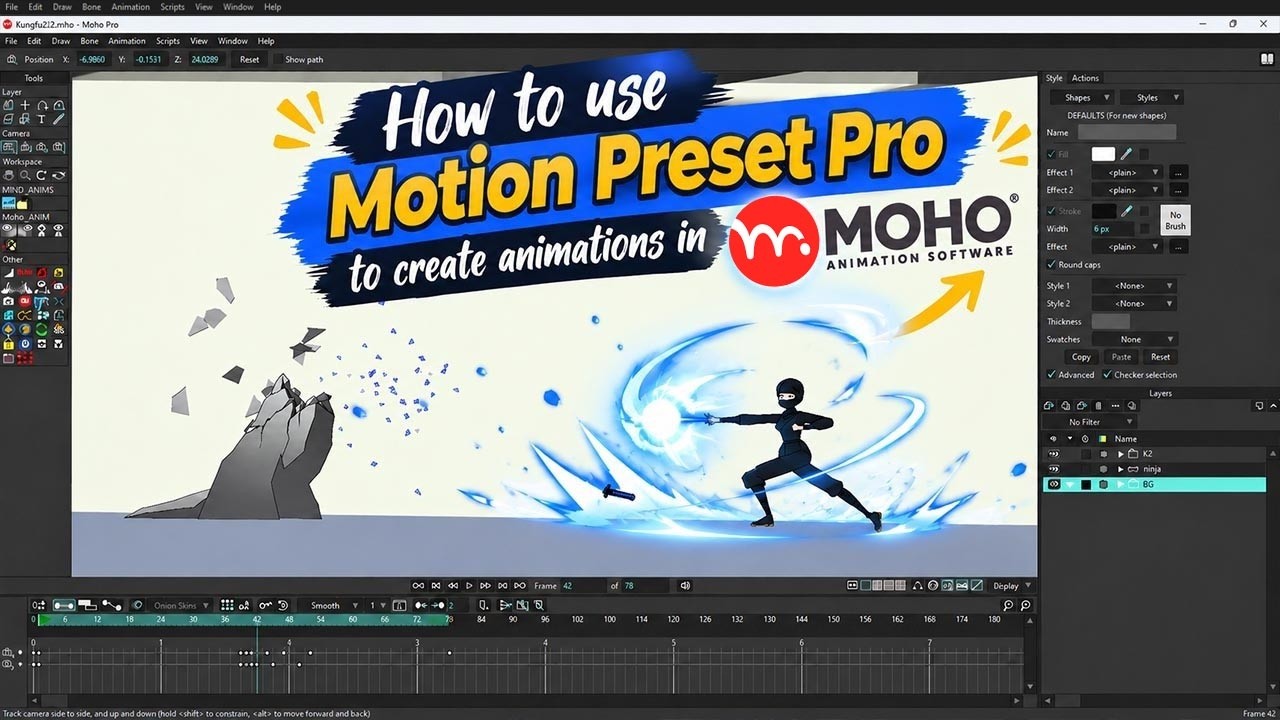
Watch Live Demo

Discover the power of Motion Presets Pro through real hands-on video